Crimson Oak · Tips & Tricks · Tip 1
How to Redeem Gift Codes
Infinity Kingdom occasionally offers free rewards through gift codes. Redeeming them only takes a few taps once you know where to look.

Tap your avatar in the upper-left corner of the game screen to open your Lord Info.
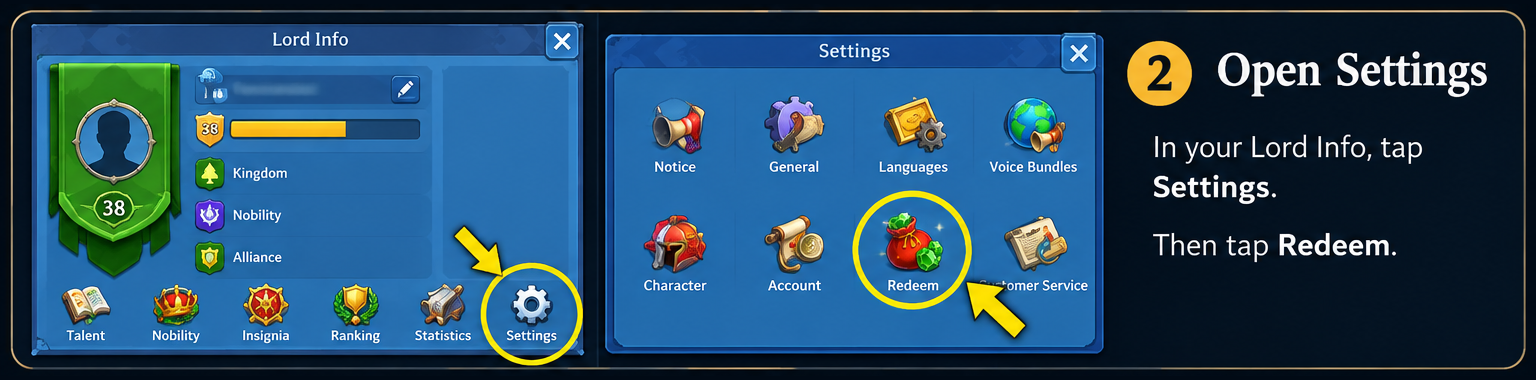
Select Settings at the bottom of Lord Info, then choose Redeem.
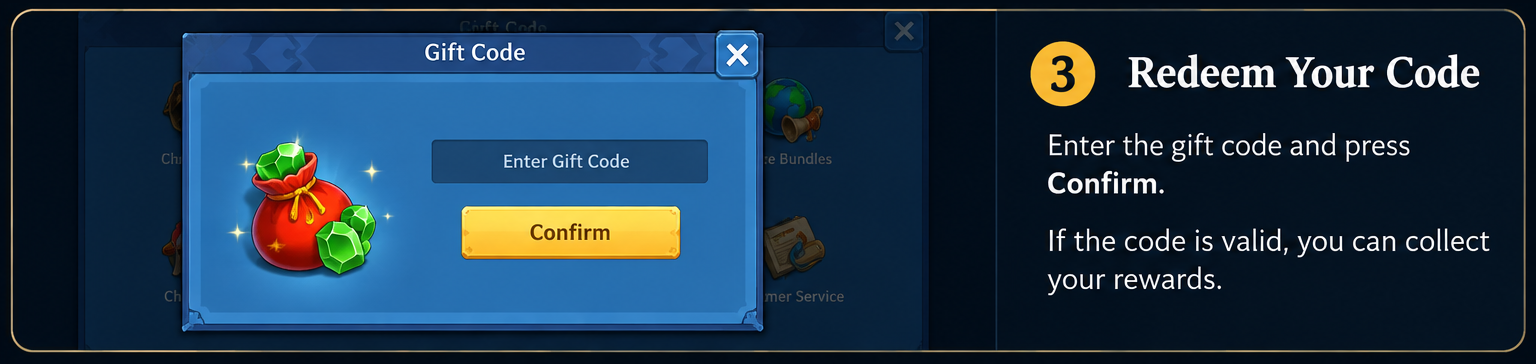
Enter your gift code and tap Confirm. If the code is valid and eligible for your account, follow the game's instructions to claim your reward.
Try These Codes
YY2222YY333CleopatraThese are examples to try, not confirmed active codes. Codes can expire, have restrictions or already have been used on your account.
Where to Find More Codes
Join our in-game chat channel CODE, where players share newly discovered gift codes. Check the channel when you want to see what is currently being shared.